

Best AI image models, compared on the same prompts
To find the best AI image model for your job, we gave four models you can run in AI Image Studio, one each from Google, OpenAI, ByteDance and xAI, the same four jobs: a poster with text, a portrait, a product shot and an edit of an uploaded photo. Below is the first image each model returned, what it cost, and which one to pick. In short: GPT Image 2.5 Flare made the most convincing photos, Seedream 5 Lite was the most faithful on the poster and the edit, and Nano Banana 2 kept adding things nobody asked for.
Production preview
Which AI image model is best for your job
GPT Image 2.5 Flare won both photo tests and Seedream 5 Lite won the poster and the photo edit. Every model spelled the poster text correctly. Credits are per image.
| GPT Image 2.5 FlareOpenAIUse it | Nano Banana 2GoogleUse it | Seedream 5 LiteByteDanceUse it | Grok ImaginexAIUse it | |
|---|---|---|---|---|
| Strongest in our tests | Portrait and product shot | No test win | Poster style and photo edit | No test win |
| Highest resolution | 4K | 4K | 4K | Standard size |
| Credits per image | 6 at 1K, 10 at 2K, 16 at 4K | 8 at 1K, 15 at 2K, 20 at 4K | 6 at 2K or 4K | 4 |
| Photos you can upload for an edit | Up to 16 | Up to 14 | Up to 14 | Up to 5 |
Text inside an image: four models make the same poster
A vintage travel poster for a coastal town called "Port Alder". Big headline "PORT ALDER", a smaller line "Ferries daily · Since 1924", a lighthouse at sunset, flat screen-print style.
Check the spelling of both lines first, then whether the small line is still readable.
GPT Image 2.5 Flare
OpenAI · 1KBoth lines spelled right, with a ferry added to the scene. Soft shading makes it read more painted than screen-printed.
Nano Banana 2
Google · 1KBoth lines spelled right, but it added three lines of text nobody asked for, including "Oregon's Hidden Gem".
Seedream 5 Lite
ByteDance · 2KBoth lines spelled right in flat blocks of color, the closest match to the screen-print look the prompt asked for.
Grok Imagine
xAI · standard sizeBoth lines spelled right in a clean, bold layout. The flat shapes work; the scene is the simplest of the four.
A photoreal portrait from four models
A candid photo of an elderly fisherman mending a net on a wooden dock, early morning light, shallow depth of field, shot on a 50mm lens.
Look at the hands working the net, the skin in the low morning light, and whether the blurred background looks like a real 50mm lens.
GPT Image 2.5 Flare
OpenAI · 1KReads as a real photo: close framing, soft background blur and detailed, believable hands working the net.
Nano Banana 2
Google · 1KA wide harbor scene full of detail, but nearly everything is in focus, so it misses the shallow 50mm look.
Seedream 5 Lite
ByteDance · 2KA sharp face and a misty pink sunrise. The plaid shirt and posed light feel more like stock photography than a candid shot.
Grok Imagine
xAI · standard sizeMoody backlight, but the hat hides the face and the net turns into a tangle that looks like straw.
A product shot from four models
Studio product photo of a matte ceramic coffee mug in sage green on a light oak table, soft window light from the left, plain white background, no logos.
Look at the shape of the mug and its handle, the matte glaze, and whether the shadow falls the way light from the left would cast it.
GPT Image 2.5 Flare
OpenAI · 1KMatte glaze, light from the left and a shadow falling right. The mug fills the frame, ready for a product listing.
Nano Banana 2
Google · 1KGood light and shape, but it filled the mug with coffee, which the prompt did not ask for.
Seedream 5 Lite
ByteDance · 2KClean and accurate, with a clear shadow from window light on the left. The mug sits small in the frame.
Grok Imagine
xAI · standard sizeThe glaze looks glossy rather than matte, and the shadows suggest light from the right.
Editing an uploaded photo with four models
Keep the mug exactly as it is. Place it on a wet black rock beside a small waterfall, with morning mist in the background.
Every model started from the identical photo: the GPT Image 2.5 Flare mug, the first image in test 3 above. The prompt asks to keep the mug as it is and move it outdoors, so compare its color, shape and handle with the original before you look at the waterfall. Grok Imagine has no shape setting for edits and keeps the shape of the uploaded photo, which is square.
GPT Image 2.5 Flare
OpenAI · 1KKept the mug's shape and handle, and added water droplets to its surface.
Nano Banana 2
Google · 1KKept the mug's proportions and handle closely; a few droplets gather at its base.
Seedream 5 Lite
ByteDance · 2KThe closest to the original: same shape, same thick handle, same matte finish, with nothing added.
Grok Imagine
xAI · standard sizePlaced it well in the scene, but the mug came out smaller, with a thinner handle.
How we ran this AI image model comparison
Each model got the same prompt, pasted exactly as shown on its card, at its lowest resolution: 1K for GPT Image 2.5 Flare and Nano Banana 2, 2K for Seedream 5 Lite, and the single standard size for Grok Imagine. The three text-to-image tests were set to a 1:1 aspect ratio; the edit started from a square photo. We kept the first image each model returned, with no reruns and no picking the better of two takes. All images were generated on October 6, 2026 with the same model versions AI Image Studio runs. One request failed on our side before any image came back and was sent again; no image was rerun. A single take shows how a model reads a prompt, so before you settle on one, run your own prompt on two models and compare.
Five more AI image models, and when to use them
The four tests above use one model from each lab. Nano Banana Pro and GPT Image 2 ran the same four prompts, plus two more, on their own head-to-head page. Nano Banana 2 Lite, Nano Banana and Turbo Image are among the cheapest models here, which makes them good for rough drafts.
| Nano Banana ProGoogleSee the comparison | GPT Image 2OpenAISee the comparison | Nano Banana 2 LiteGoogleUse it | Nano BananaGoogleUse it | Turbo ImageUse it | |
|---|---|---|---|---|---|
| Use it for | Natural-looking portraits (see the six-prompt test) | Long text, like menus and recipe cards, and edits that must keep your product unchanged (see the six-prompt test) | Fast drafts and thumbnails | Casual edits and quick experiments | Trying layouts cheaply, including text in drafts |
| Highest resolution | 4K | 4K | Standard size | Standard size | Standard size |
| Credits per image | 20 at 1K or 2K, 25 at 4K | 6 at 1K, 10 at 2K, 20 at 4K | 4 | 4 | 1 for text to image, 2 for image to image |
Two AI image models, side by side
When you have narrowed it down to two, a direct comparison on more prompts helps you decide.
Best AI image model FAQ
It depends on the job. In our tests GPT Image 2.5 Flare made the most convincing photos (the portrait and the product shot), and Seedream 5 Lite matched the poster style and kept an uploaded photo the most intact. If you want one best AI image model for mixed work, start with GPT Image 2.5 Flare, and switch to Seedream 5 Lite when an edit has to leave your subject untouched.
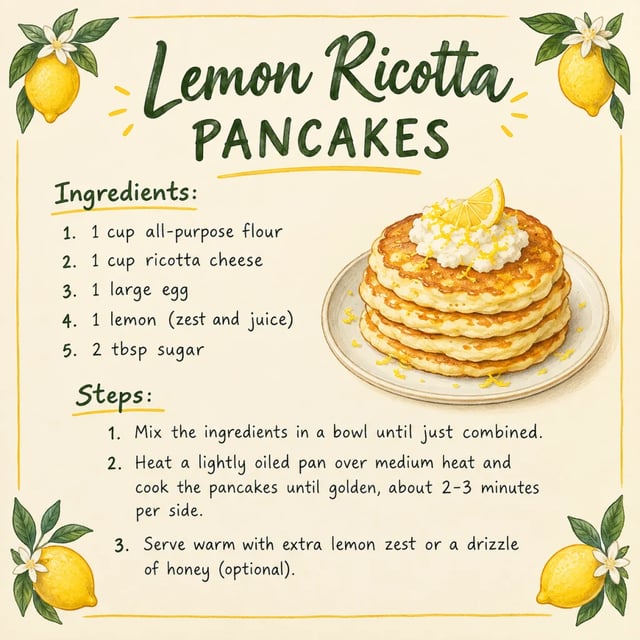
All four models spelled both lines of the travel poster correctly, so a short headline is no longer the hard part. The difference was discipline: Nano Banana 2 added three lines of text the prompt never asked for, while Seedream 5 Lite stuck to the requested words and style. For longer text, such as a recipe card, see how GPT Image 2 compares with Nano Banana Pro on the head-to-head page.
Seedream 5 Lite kept our uploaded mug the closest to the original, with nothing added. GPT Image 2.5 Flare and Nano Banana 2 kept its shape but added water droplets, and Grok Imagine made it smaller with a thinner handle. Every model here edits uploaded photos. If your edit combines several pictures, check the upload limit: up to 16 photos on GPT Image 2.5 Flare, 14 on Nano Banana 2 and Seedream 5 Lite, and 5 on Grok Imagine.
Yes, within the free credits. A new account gets 10 credits, and every image uses some, so you can run one prompt on a couple of the cheaper models, such as GPT Image 2.5 Flare at 6 credits and Grok Imagine at 4. Free credits do not cover every model: one Nano Banana Pro image costs 20 credits, more than a new account starts with. Free credits run at each model's lowest resolution; anything above it needs paid credits from a pack or a plan. Free images carry a watermark and are for personal use.
Each model was trained by a different lab, so the same words lead to different choices about light, composition and style. That is why running one prompt on two models is the quickest way to find the one that matches the picture you have in mind.
This comparison covers the models you can run in AI Image Studio, so every result above can be reproduced with the prompt on its card, at the price shown. Every prompt is printed in full, so you can also paste it into any other tool and set the results next to these.
Run your prompt on two models
Run your prompt on one model, switch to another and run it again. Both results stay in your library, so you can compare them.