

Seedream 5 Pro
ByteDance's Seedream 5.0 Pro is built for images that carry a lot of text: recipe cards, infographics, posters and labeled diagrams. In our recipe-card test it spelled every word right, where Seedream 5 Lite made typos. It also makes photoreal shots and edits from up to 10 reference images, at 1K or 2K, and your first 1K image is free.
Production preview
Seedream 5 Pro examples from our tests
Each image is the first one Seedream 5 Pro returned at 1K. The poster, portrait, product and edit prompts are the ones the four models on our comparison page got.
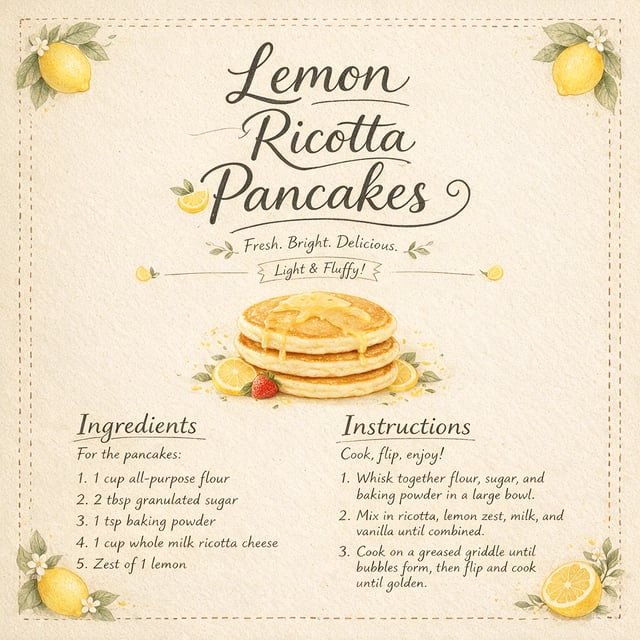
Text to image · 1K Recipe card: every word spelled right
Prompt
A recipe card for "Lemon Ricotta Pancakes" with the title, five numbered ingredients and three short steps, small hand-drawn lemons in the corners, cream paper background.
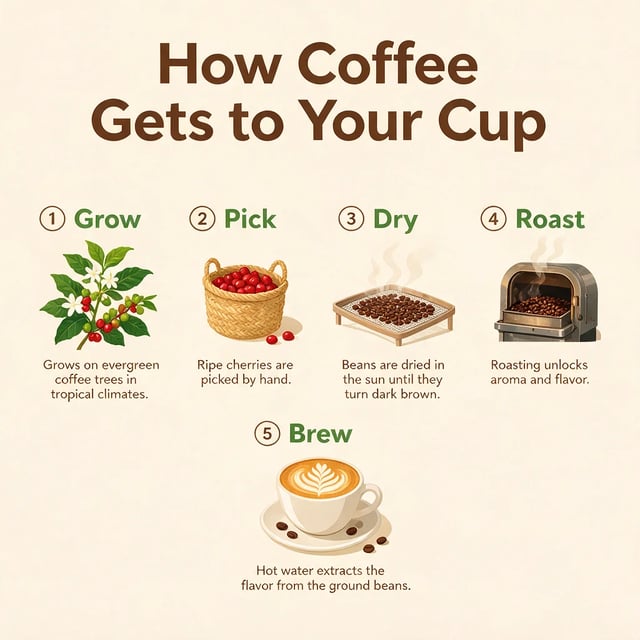
Text to image · 1K Infographic: five labeled steps, each with a caption
Prompt
An infographic poster titled "How Coffee Gets to Your Cup" with five numbered steps: Grow, Pick, Dry, Roast, Brew. A small icon and a one-line caption under each step, clean flat design, cream background.
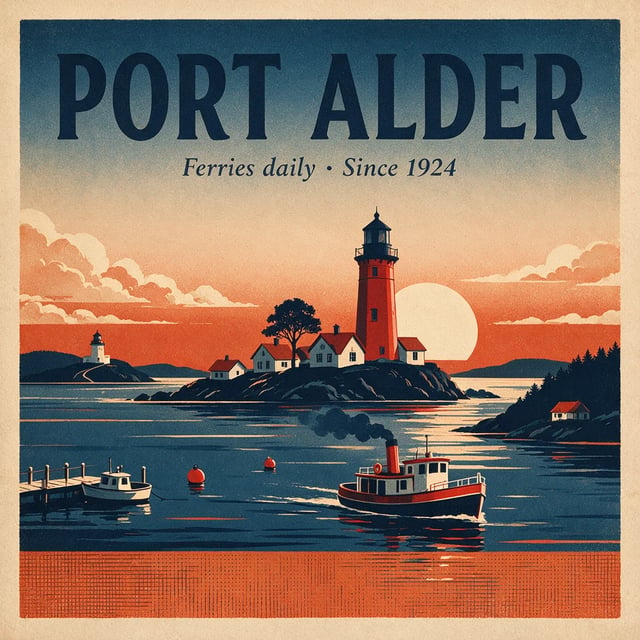
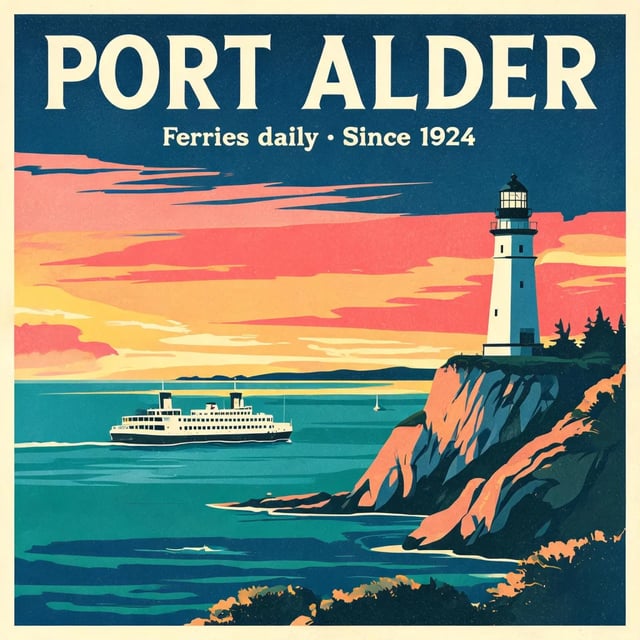
Text to image · 1K Poster: both lines of text exactly as written
Prompt
A vintage travel poster for a coastal town called "Port Alder". Big headline "PORT ALDER", a smaller line "Ferries daily · Since 1924", a lighthouse at sunset, flat screen-print style.
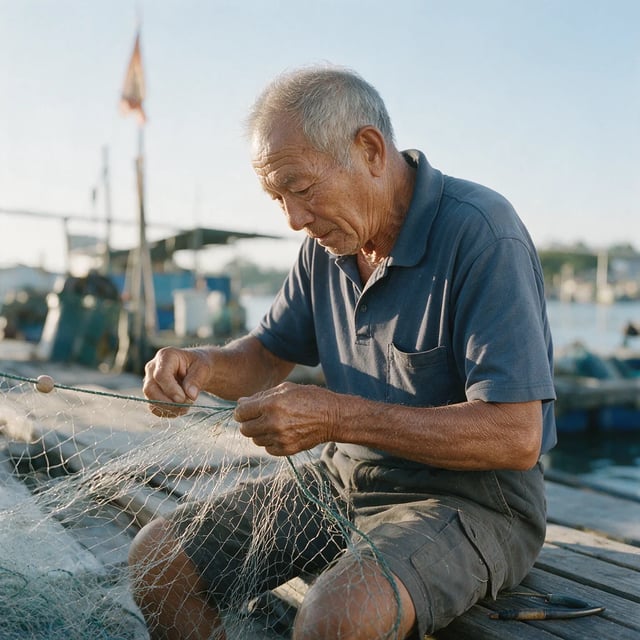
Text to image · 1K Portrait: candid, in bright sun rather than morning light
Prompt
A candid photo of an elderly fisherman mending a net on a wooden dock, early morning light, shallow depth of field, shot on a 50mm lens.
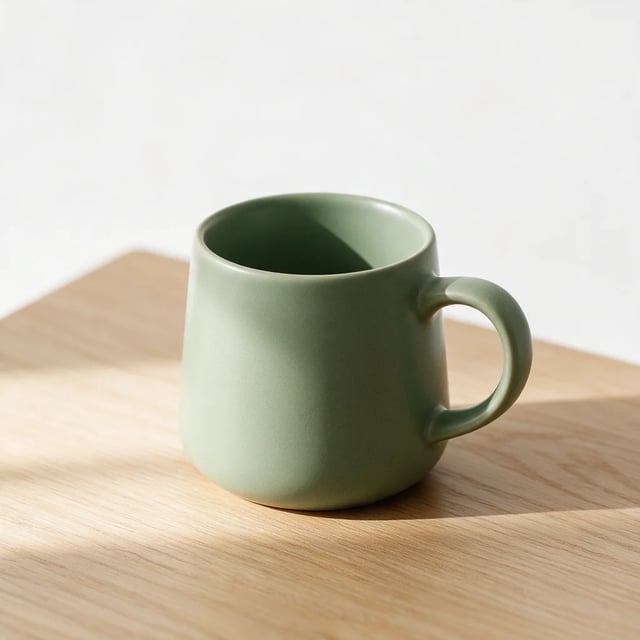
Text to image · 1K Product shot: soft light on a sage mug
Prompt
Studio product photo of a matte ceramic coffee mug in sage green on a light oak table, soft window light from the left, plain white background, no logos.
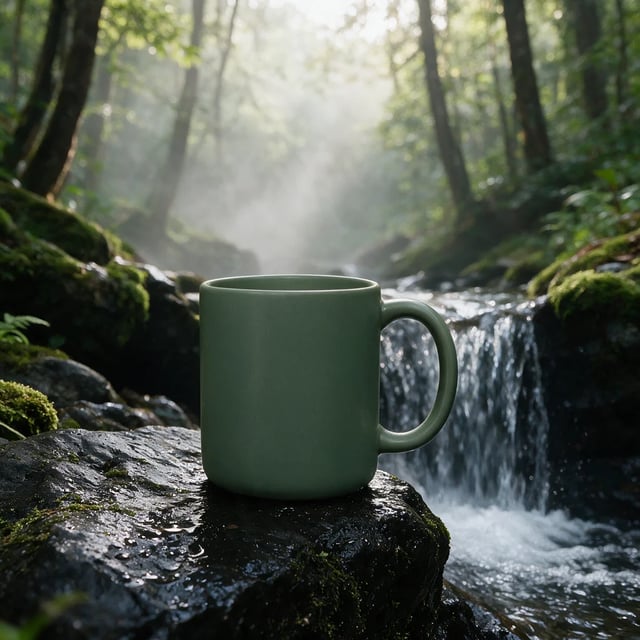
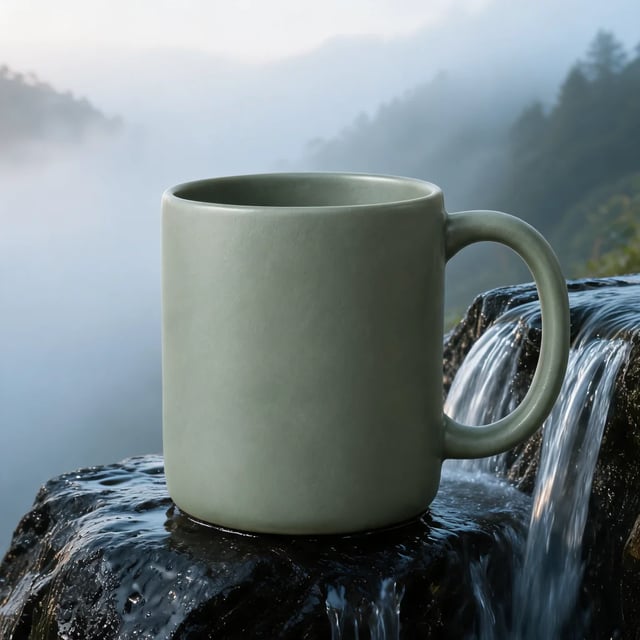
Image to image · 1K Photo edit: same mug shape, a shade darker green
Prompt (with a photo of the mug uploaded)
Keep the mug exactly as it is. Place it on a wet black rock beside a small waterfall, with morning mist in the background.
What is Seedream 5 Pro?
Seedream 5 Pro, which ByteDance calls Seedream 5.0 Pro, is one of two Seedream 5.0 image models from ByteDance's Seed team, next to Seedream 5.0 Lite. ByteDance presents Pro for images that organize a lot of information, such as infographics and teaching material, as well as for editing and photographic realism. In AI Image Studio it runs text to image and image to image at 1K or 2K, in 15 shapes from 1:3 tall to 3:1 wide, including 21:9.
Seedream 5 Pro and Seedream 5 Lite on text-heavy prompts
Both models got the same two prompts, each at its lowest size. Read the small text first: that is where the two differ.
A recipe card for "Lemon Ricotta Pancakes" with the title, five numbered ingredients and three short steps, small hand-drawn lemons in the corners, cream paper background.
Check the ingredient list and the steps word by word.
Seedream 5 Pro
ByteDance · 1KEvery word spelled right, but the steps mention milk and vanilla that the ingredient list leaves out, and it added a few lines nobody asked for.
Seedream 5 Lite
ByteDance · 2KClean layout, but typos in the small text: "eages", "eegs" and "por side".
An infographic poster titled "How Coffee Gets to Your Cup" with five numbered steps: Grow, Pick, Dry, Roast, Brew. A small icon and a one-line caption under each step, clean flat design, cream background.
Check the five step names and the caption under each.
Seedream 5 Pro
ByteDance · 1KAll five steps and captions right, drawn as detailed illustrations rather than flat icons.
Seedream 5 Lite
ByteDance · 2KEvery word right too, and closer to the flat icons the prompt asked for; stray dashes after four step names.
Where Seedream 5 Pro helps
Small text that has to be right
Recipe cards, menus, labels and handouts. Put every word that must appear in quotes, then read the result line by line before you use it.
Infographics and step-by-step diagrams
Give it the title, the steps and what each caption should say. In our coffee test it laid out five steps with an illustration and a caption each.
Edits from up to 10 references
Upload a product, a person or a place and describe the new picture or the change you want.
Photoreal product and portrait shots
The product and portrait examples above came from plain one-sentence prompts, at 1K.
How to use Seedream 5 Pro
Three steps from a prompt or a photo to a finished image.
- 1
Write a prompt or upload images
Describe the picture, or upload up to 10 images and say what should change. Put any words that must appear in the image in quotes.
- 2
Pick 1K or 2K
1K or 2K. 2K needs credits from a pack or a plan; the FAQ below has the details.
- 3
Pick a shape and generate
Choose square, portrait, landscape, a tall 1:3 or a wide 3:1, then generate. Each run makes one image.
Seedream 5 Pro or Seedream 5 Lite: which one to use
Both are ByteDance models from the same generation. Pro costs more per image and spelled the recipe card right where Lite made typos; Lite goes up to 3K and kept an uploaded product close to the original.
| This pageSeedream 5 ProByteDanceUse Seedream 5 Pro | Seedream 5 LiteByteDanceAbout Seedream 5 Lite | |
|---|---|---|
| Choose it for | Recipe cards, infographics and other text-heavy images | Everyday images, 3K files and product edits |
| Small text in our tests | Every word right on both prompts | Typos on the recipe card; infographic right |
| Mug edit in our tests | Shape kept, green a shade darker | Closest to the original of the four models on our comparison page |
| Credits per image | 9 at 1K, 20 at 2K | 6 at 2K or 3K |
| Highest resolution | 2K | 3K |
| Images you can upload for an edit | Up to 10 | Up to 14 |
Seedream 5 Pro questions
Your first 1K image is. A new account gets 10 free credits and a 1K Seedream 5 Pro image costs 9 credits; 2K costs 20. 2K uses credits from a pack or a plan; see the pricing page. Free images carry a watermark.
Not here: AI Image Studio runs it at 1K or 2K. For a 4K file, use GPT Image 2.5 Flare or Nano Banana 2.1, which both go up to 4K in this studio.
For text-heavy images it did well in our tests: it spelled every word of a recipe card right where Seedream 5 Lite made typos, and laid out a five-step infographic cleanly. Two things to watch: it adds short lines you did not ask for, and it stops at 2K. For everyday images, 3K files and product edits, Seedream 5 Lite costs less per image.
Yes. Upload up to 10 images and describe the change. In the edit example above it kept the mug's shape and handle and moved it to a waterfall scene.
ByteDance's Seed team. It is the Pro model of the Seedream 5.0 generation; the other is Seedream 5.0 Lite, which this studio also runs.
Where Seedream 5 Pro fits
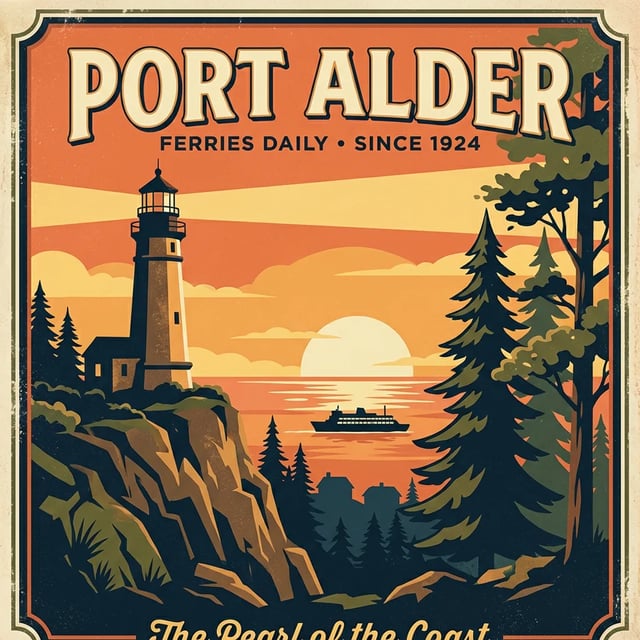
Seedream 5 Lite
The everyday Seedream 5.0 model, up to 3K
Nano Banana 2.1
Google's update to Nano Banana 2, for images and edits from a prompt or up to 10 reference images at 1K, 2K or 4K. Google says it follows prompts more closely, keeps characters steadier across edits and makes seam-free panoramas up to 8:1.

FLUX 3 Klein
The compact image model in Black Forest Labs' FLUX 3 family, made for quick, low-cost pictures. Write a prompt, or upload up to 10 photos and say what to change, then pick 1K, 2K or 4K.
Best AI image models compared
Four models on the same poster, portrait, product and edit prompts
Try the recipe card prompt on Seedream 5 Pro
Copy the Lemon Ricotta Pancakes prompt from the examples, or write your own text-heavy brief, and generate at 1K.