

FLUX 3 Klein
Black Forest Labs FLUX 3 家族中的輕量圖像模型,主打出圖快、花費低。寫一句提示詞,或上傳最多 10 張照片並說明要改哪裡,再選 1K、2K 或 4K。
生成預覽
FLUX 3 Klein 實測範例
每張都是 FLUX 3 Klein 以 1K 第一次生成的結果。其中三組是修圖:前一張是上傳的原圖,後一張是依照下方提示詞改出來的結果。
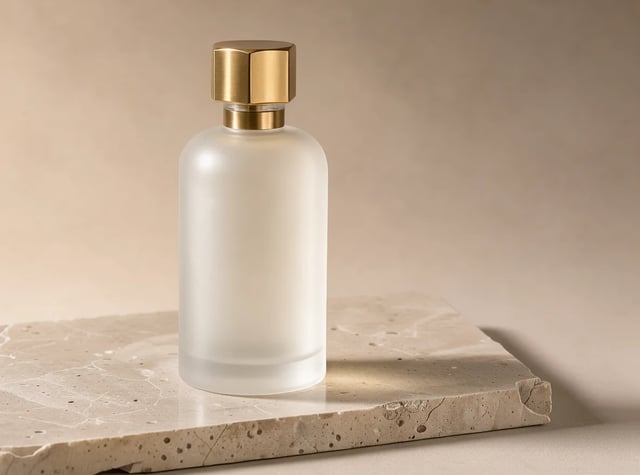
文字生圖 · 1K 商品照:石檯上的香水瓶
提示詞
Studio product photo of a frosted glass perfume bottle with a brass cap on a slab of travertine, soft morning window light from the left, long gentle shadow, warm neutral background, crisp edges, commercial packshot.
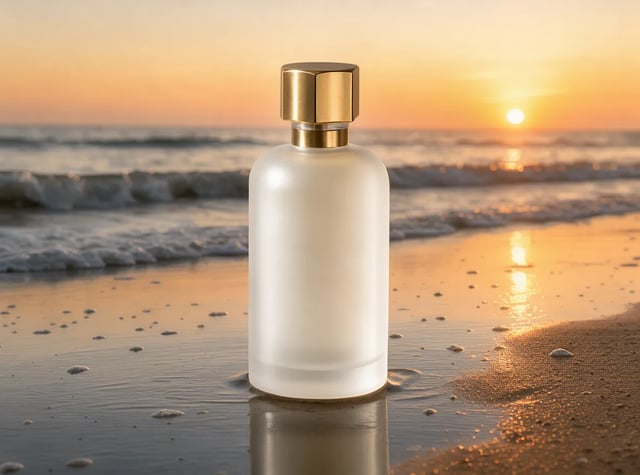
以圖生圖 · 1K 同一支瓶子換場景:移到夕陽海灘
提示詞(已上傳上方的香水瓶照片)
Keep the perfume bottle exactly as it is. Replace the background and stone with wet sand on a beach at golden hour sunset, soft waves behind, warm backlight.
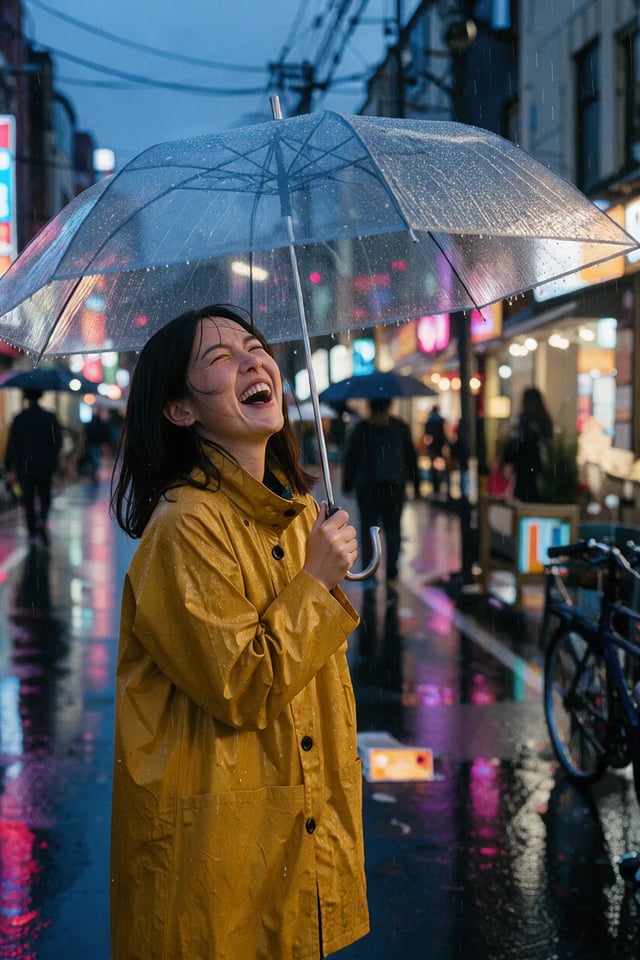
文字生圖 · 1K · 2:3 街拍:雨夜、霓虹與底片感
提示詞
Candid street portrait of a young woman in a mustard raincoat laughing under a clear umbrella on a rainy Tokyo side street at dusk, neon reflections on wet asphalt, shallow depth of field, 35mm film look.

文字生圖 · 1K 海報:兩行字都拼對了
提示詞
Minimal autumn cafe poster. Large bold title text "PUMPKIN LATTE" at the top, a single ceramic cup with latte art centered, scattered maple leaves, cream background, small line "Every morning from 7am" at the bottom. Clean flat graphic design.

以圖生圖 · 1K 同一張海報換字:只改標題,其餘不變
提示詞(已上傳上方的海報)
Change the title text to "MAPLE MOCHA" and make the cup dark chocolate brown. Keep the layout, leaves, background and the bottom line unchanged.

文字生圖 · 1K 3D 插畫:迷你等角視角辦公室
提示詞
Cozy isometric 3D illustration of a tiny home office: desk with laptop, potted monstera, bookshelf, cat sleeping on a cushion, warm lamp light, pastel colors, soft shadows, clean render.
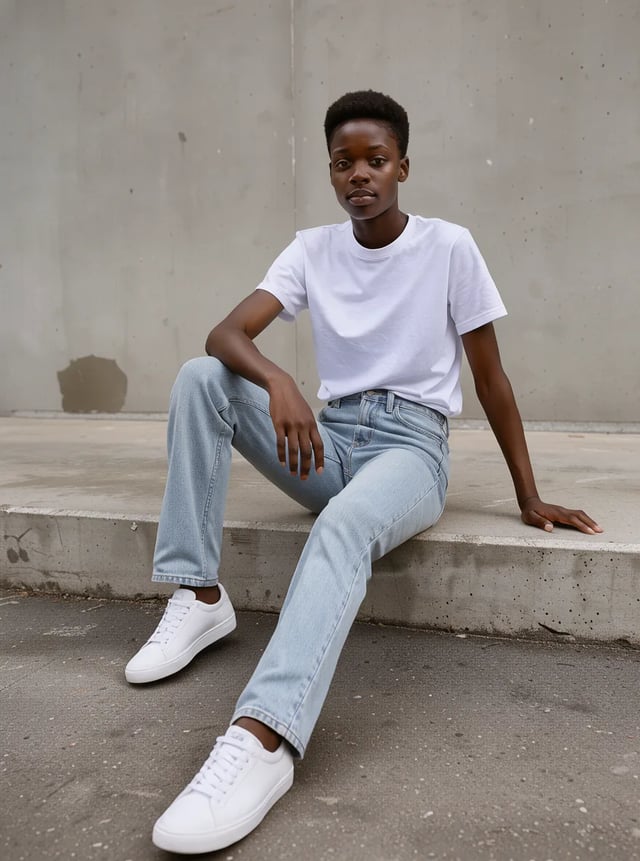
文字生圖 · 1K 型錄照:坐在水泥階梯上的整套穿搭
提示詞
Fashion photo of a model sitting on a concrete step wearing a plain white t-shirt, light blue jeans and white sneakers, full body, overcast daylight, neutral grey wall background, editorial catalog style.
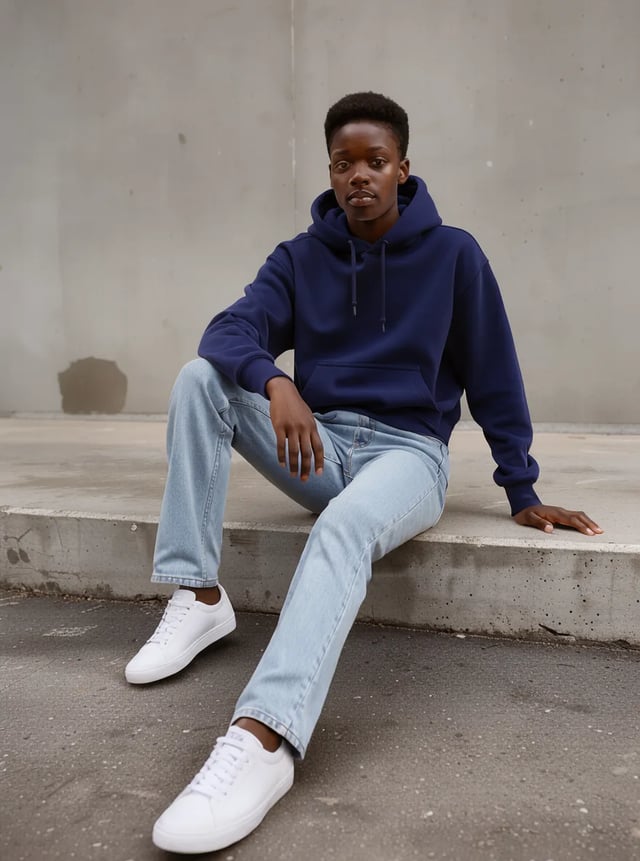
以圖生圖 · 1K 同一個人只改一處:T 恤換成連帽上衣
提示詞(已上傳上方的型錄照)
Change only the white t-shirt to a navy blue hoodie. Keep the person, face, pose, jeans, sneakers, wall and lighting exactly the same.
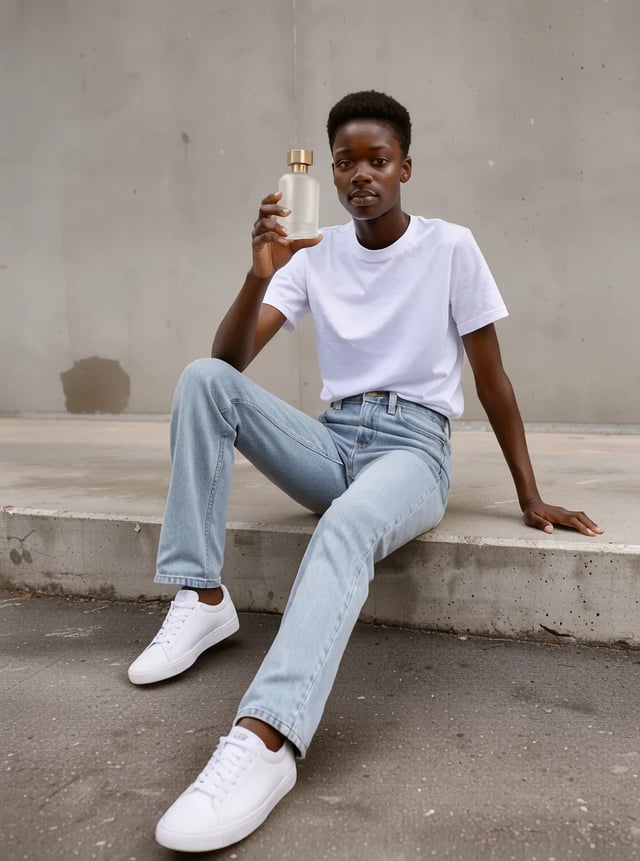
以圖生圖 · 1K · 上傳 2 張 兩張上傳合成一張:模特兒拿起香水瓶
提示詞(已上傳型錄照與香水瓶照片)
The person from the first image sits on the same concrete step holding the perfume bottle from the second image up near their face, looking at the camera. Keep the person's face, outfit and the bottle design unchanged. Editorial ad photo.
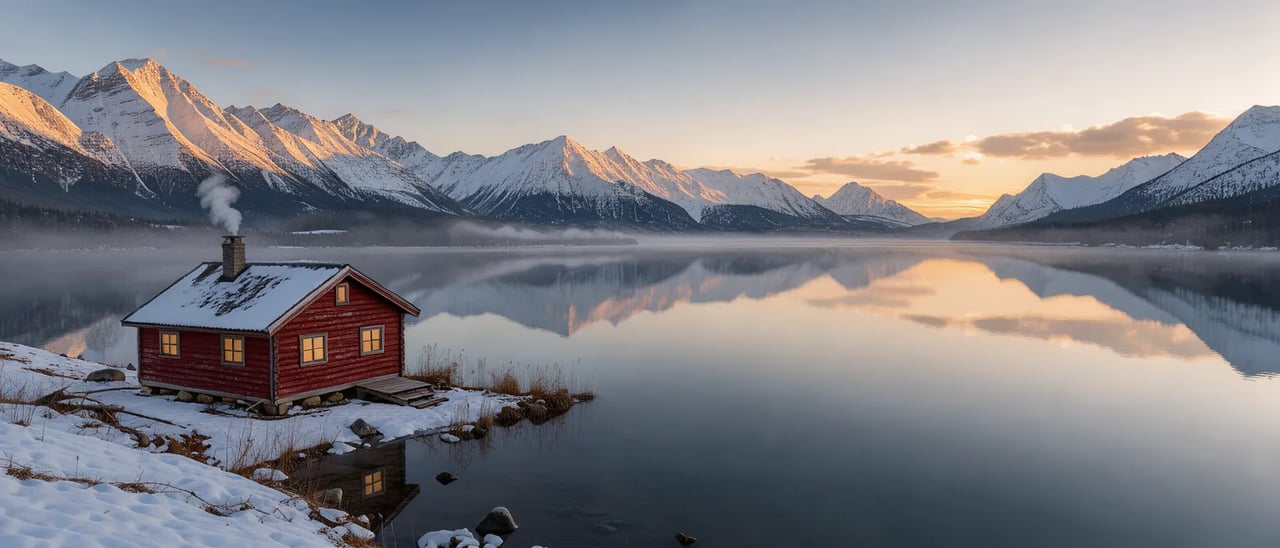
文字生圖 · 1K · 21:9 21:9 風景圖,適合做網站橫幅
提示詞
Cinematic wide landscape of a lone red cabin beside a still alpine lake at sunrise, low mist over the water, snowy peaks reflected, soft golden light, ultra wide composition.
FLUX 3 Klein 是什麼?
FLUX 3 Klein 是 Black Forest Labs 最新圖像模型家族 FLUX 3 中的輕量型號。它經過蒸餾,速度快、成本低,適合多做幾版、再從中挑一張的工作。在這裡它能做兩件事:文字生圖,以及以圖生圖——上傳 1 到 10 張照片,再描述要怎麼改。圖片可選 1K、2K 或 4K,共九種比例,從直長的 9:21 到超寬的 21:9。
FLUX 3 Klein 可以幫你做什麼
最多合成 10 張照片
上傳一件商品、一個人和一個場景,再說明要怎麼組合。提示詞中依上傳順序稱呼它們:「第一張圖」「第二張圖」,依此類推。
只改一處,其餘保留
換背景、換衣服或換顏色,同時寫清楚哪些必須維持不變。在我們的測試中,臉、姿勢和版面都沒有跑掉。
海報文字與改字
把要出現的文字放進引號,它就會照著寫出來,也能替換現有海報上的標題。使用前請逐字檢查。
寫實照片與插畫
攝影棚商品光、日光下的型錄照、底片顆粒、扁平平面設計和 3D 算圖,都出自同一個模型。
寬幅與直幅比例,最高 4K
從 9:21 到 21:9 共九種比例,可選 1K、2K 或 4K,做橫幅、手機桌布和簡報都適用。
如何使用 FLUX 3 Klein
- 1
寫提示詞或上傳照片
描述想要的畫面,或上傳 1 到 10 張照片,說明哪裡要改、哪裡保留。必須出現在圖中的文字,請用引號標出。
- 2
選尺寸與比例
先從 1K 開始;2K 和 4K 需要付費積分包或方案。修圖時,比例選 Auto(自動)會沿用你上傳的第一張照片。
- 3
生成後比較
在我們的測試中,每張圖都不到半分鐘就完成。細節不對的話,把它補進提示詞再跑一次。
FLUX 3 Klein、Nano Banana 2.1 與 GPT Image 2.5 Flare 比較
三款都能生成與編輯最高 4K 的圖片。FLUX 3 Klein 最省積分;Nano Banana 2.1 支援更寬的比例;GPT Image 2.5 Flare 可上傳的圖片最多,還能做透明背景。
| 本頁模型FLUX 3 KleinBlack Forest Labs使用 FLUX 3 Klein | Nano Banana 2.1Google前往 Nano Banana 2.1 | GPT Image 2.5 FlareOpenAI | |
|---|---|---|---|
| 每張圖所需積分 | 1K:2、2K:3、4K:6 | 1K:8、2K:15、4K:20 | 1K:3、2K:10、4K:16 |
| 圖片比例 | 9:21 至 21:9 | 1:8 至 8:1 | 9:16 至 21:9 |
| 修圖時可上傳的圖片數 | 最多 10 張 | 最多 10 張 | 最多 16 張 |
FLUX 3 Klein 常見問題
可以。新帳號會拿到 10 免費積分,FLUX 3 Klein 生成一張 1K 圖片需 2 積分,免費積分足夠試好幾次。要生成 2K、4K,或一次生成多張,請購買積分包或方案。免費方案的圖片帶有浮水印。
Black Forest Labs,也就是 FLUX 系列模型背後的團隊。Klein 是 FLUX 3 家族中輕巧、快速的那一款。
可以。上傳 1 到 10 張照片,用白話描述要改什麼:換背景、換衣服、改海報上的文字,或把幾張照片合成一個場景。像上方範例那樣,寫清楚哪些要維持不變。
可選 1K、2K 或 4K,共九種比例:1:1、4:3、3:4、3:2、2:3、16:9、9:16、21:9 和 9:21。修圖時選 Auto(自動),會沿用你上傳的第一張照片的比例。
可以。提示詞用任何語言都行,最長 5,000 個字元。想放進圖中的文字,最好用引號標出,並照最後要呈現的樣子正確拼寫。
想用很少的積分快速做出很多版本,就選 FLUX 3 Klein。需要透明背景,請到首頁生成器選 GPT Image 2.5 Flare;需要比 21:9 更寬的比例,可以試試 Nano Banana 2.1。

用 FLUX 3 Klein 修一張圖看看
上傳一張照片,說清楚要改的那一處和要保留的部分,不到一分鐘就能看到結果。