
Image to Image AI
Upload a photo and describe the new image: another art style, a new scene, or a sketch turned into a photo. Say what to keep, such as a face, a pet or a product, and the model redraws everything around it. Pick a model such as Nano Banana, GPT Image, Seedream or FLUX, and start free.
Production preview
Image to image examples: one upload, one prompt
Each result below is one upload and one prompt on Nano Banana 2.1 at 1K, and the first image it gave us.
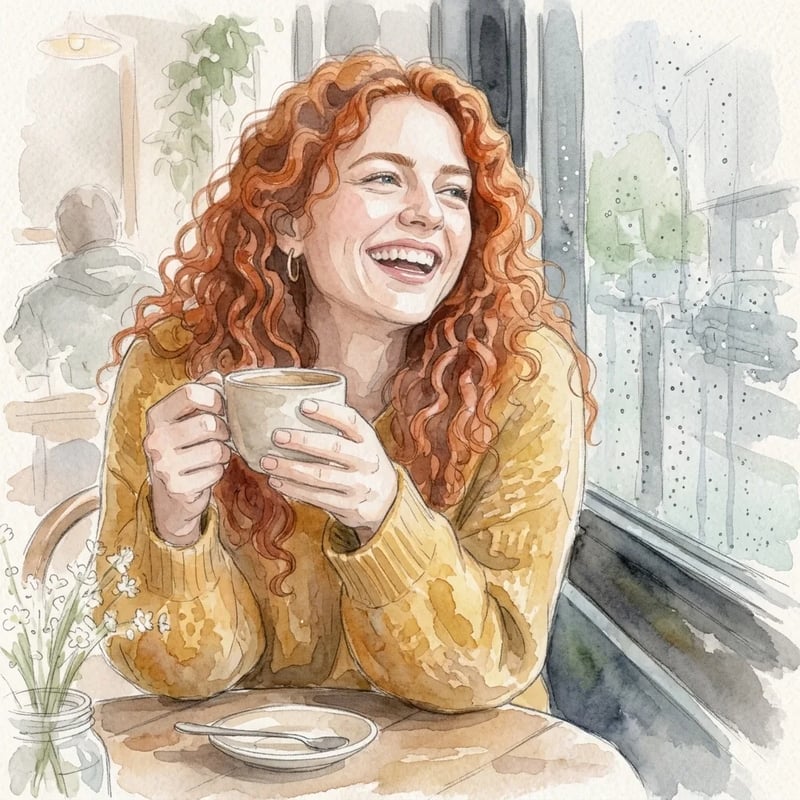
Prompt: "Turn this photo into a soft watercolor illustration on textured paper. Keep her face, curly red hair, yellow sweater and the cafe window." Her curls, the yellow sweater and the rain on the window all carried over into the painting.
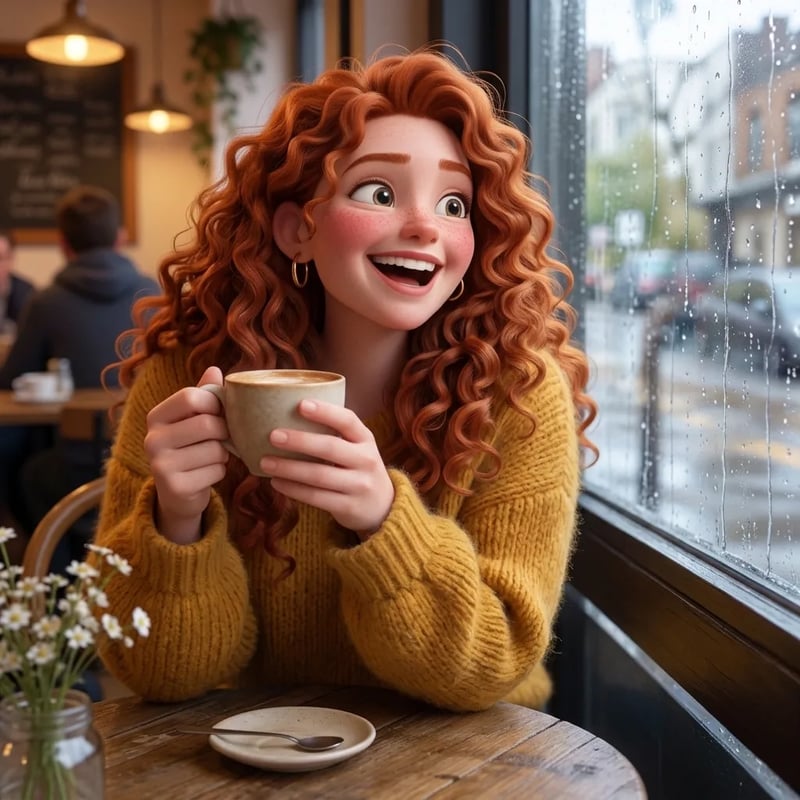
Prompt: "Turn her into a 3D animated movie character with big expressive eyes and soft lighting. Keep her curly red hair, yellow sweater, the coffee cup and the cafe setting." She became a cartoon character and kept the hair, the sweater, the cup and the cafe.
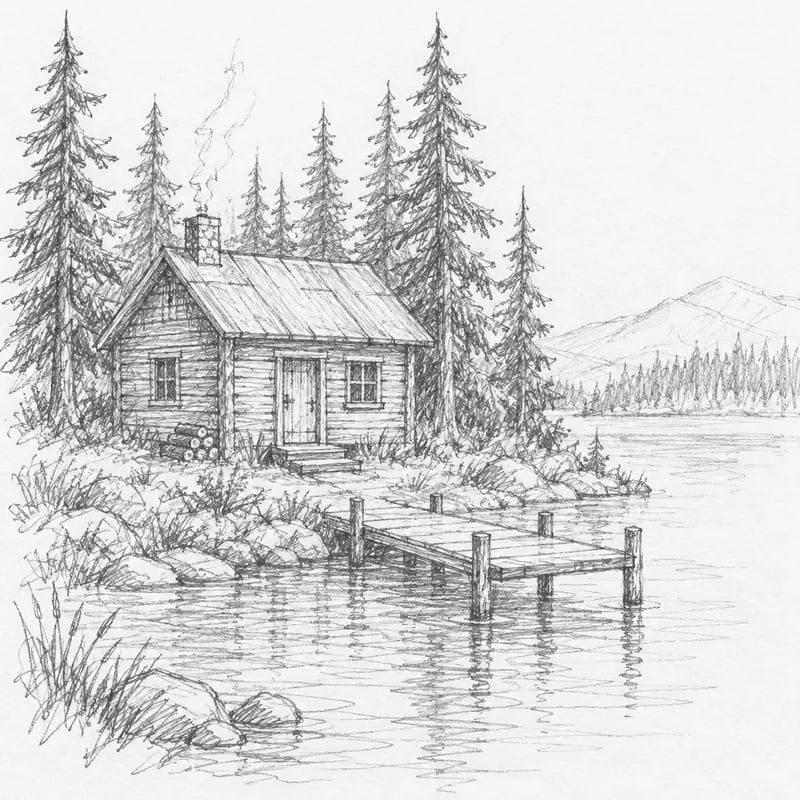
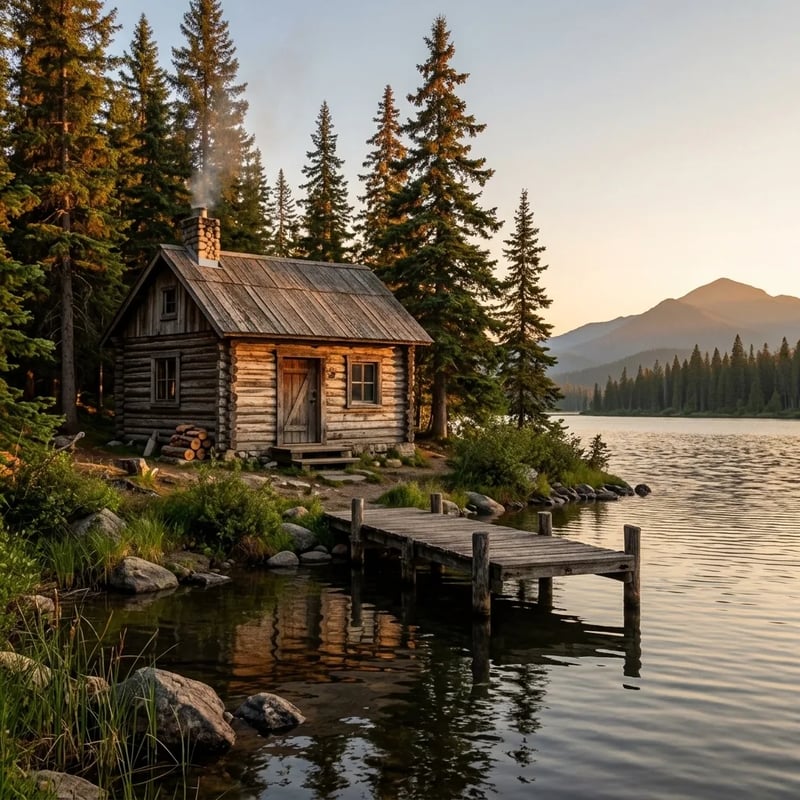
Prompt: "Turn this sketch into a realistic photo at golden hour. Keep the cabin, the dock, the lake and the pine trees where they are in the sketch." The cabin, the dock and the trees stayed where the pencil put them, now in warm evening light.
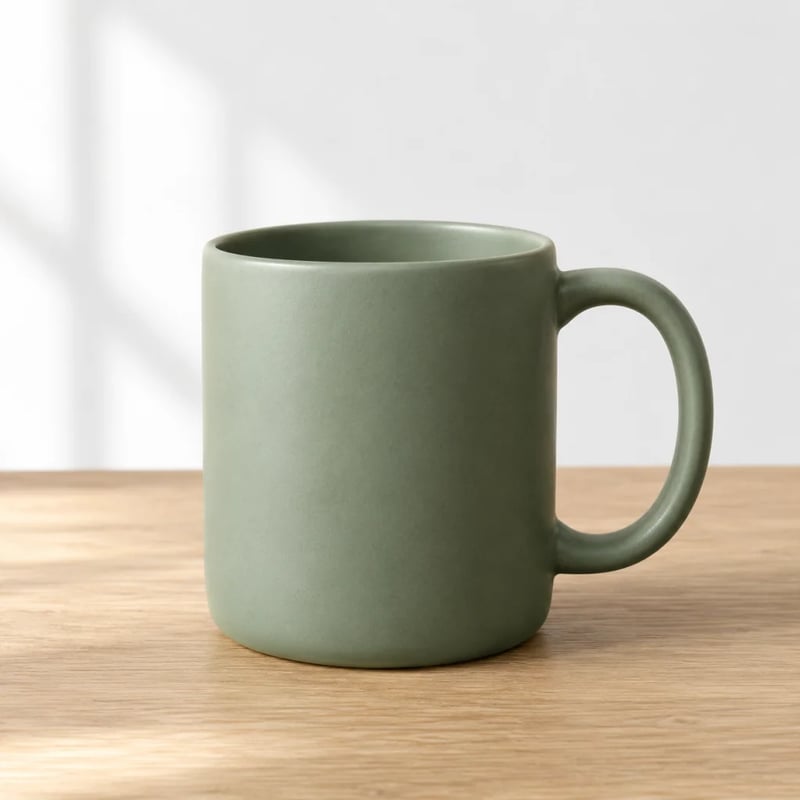
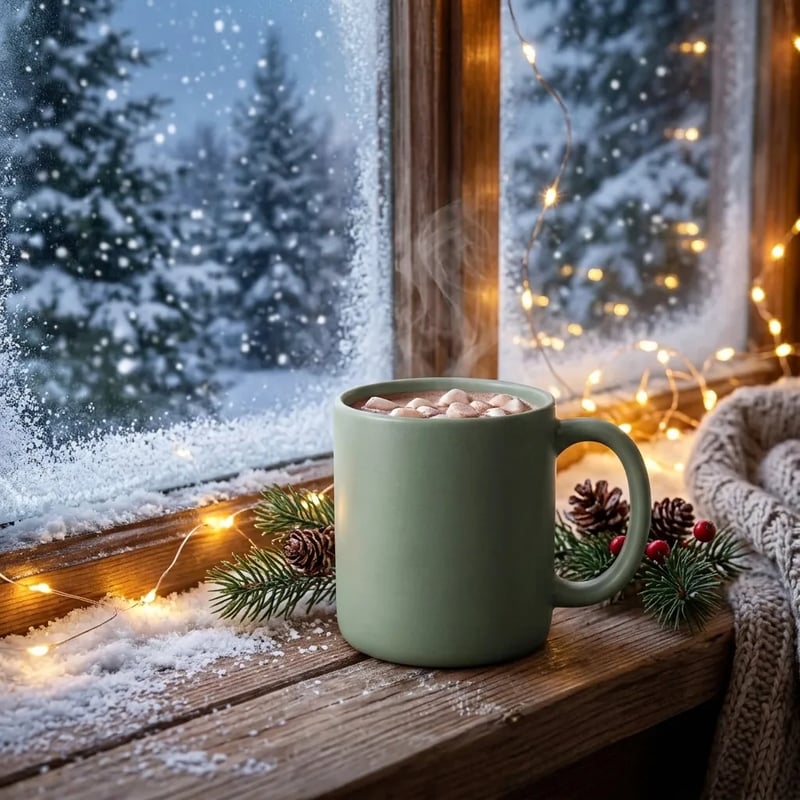
Prompt: "Use this mug in a winter holiday ad: it sits on a snowy windowsill with warm fairy lights, and steam rises from hot cocoa inside it. Keep the mug's shape, color and matte finish." The mug kept its shape, color and finish; the angle, the light, the setting and the cocoa are all new. That is a new photo, not a background swap.
Which AI model restyles a photo and keeps the person?
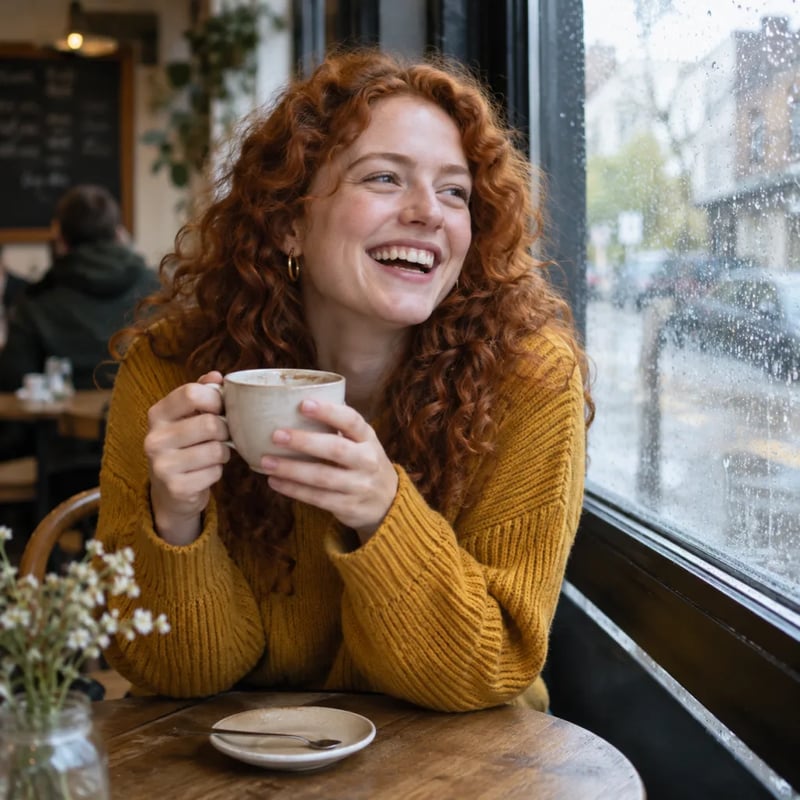
Four models got the same cafe photo and the same prompt, each at its lowest size. Look at her face and hair first, then at how far the style went.
Turn this photo into a hand-drawn anime film still, with a soft painted background. Keep her face, curly red hair, yellow sweater and the coffee cup.
The upload was the cafe photo from the examples above. GPT Image 2.5 Flare gave her anime-style shading and kept her face; Seedream 5 Lite went furthest into anime but changed her face the most.
GPT Image 2.5 Flare
OpenAI · 1KAnime-style shading, and still clearly her: same curls, earrings and smile.
Seedream 5 Lite
ByteDance · 2KThe most anime look of the four, but she got bangs and a younger face.
Nano Banana 2.1
Google · 1KDrawn as a clean outlined cartoon, but her eyes are now closed.
FLUX 3 Klein
Black Forest Labs · 1KHer face and freckles stayed closest to the photo, but it reads more like a storybook drawing than anime.
Image to image or photo editing: which do you need?
Image to image AI uses your upload as a reference and makes a new picture from it: the same person as a watercolor, the same room in another season, a pencil sketch as a photo. Photo editing changes one part of the picture and keeps everything else as it was, such as a new background or a removed object. Both start with an upload and a prompt on the same models. If you want the same photo with one thing changed, use the AI image editor instead.
What you can make with image to image AI
A photo in a new art style
Watercolor, anime, oil painting, pencil or a 3D cartoon. Name the style and the details that must stay, such as hair, clothes or the setting.
A sketch as a finished picture
Upload a drawing and ask for a photo or a rendered scene. The layout of your sketch guides where things end up.
A product in a new scene
Shoot the same product again for a holiday ad, a beach or a studio set: new angle, new light, new scene. Ask the model to keep its shape, color and finish.
One picture from several references
Upload a person, a place and an object together and describe how they meet in one new scene.
Which model to use for image to image
All four models from the anime test above take an upload. Credits are per image at each model's lowest size.
| GPT Image 2.5 FlareOpenAISee its tests | Seedream 5 LiteByteDanceAbout Seedream 5 Lite | Nano Banana 2.1GoogleAbout Nano Banana 2.1 | FLUX 3 KleinBlack Forest LabsAbout FLUX 3 Klein | |
|---|---|---|---|---|
| Good for | Clear style change, person still recognizable | The strongest change of style | Clean cartoon and illustration looks; made the four examples above | Closest face and freckles; softer illustrated look |
| In our anime test | Anime shading, face kept | Most anime, face changed most | Cartoon outlines, eyes closed | Face closest, storybook style |
| Reference images | Up to 16 | Up to 14 | Up to 10 | Up to 10 |
| Credits per image | 3 at 1K | 6 at 2K | 8 at 1K | 2 at 1K |
How to turn a photo into a new image with AI
Three steps, the same ones behind every example above.
- 1
Upload a photo or a sketch
Use a clear picture of what you want to keep. To mix several references, upload them together.
- 2
Describe the new image, then what stays
For example: "Turn this photo into a watercolor illustration. Keep her face, her hair and the window." Naming what must stay helps keep the person recognizable.
- 3
Pick a model and generate
Choose from the table above. If a face drifts too far, try GPT Image 2.5 Flare or FLUX 3 Klein; if the style is too mild, try Seedream 5 Lite.
Image to image AI FAQ
You can start free. A new account gets 10 credits: enough for several images on FLUX 3 Klein at 1K (2 credits each), or one on Nano Banana 2.1 at 1K (8 credits). Larger sizes, up to 4K on Nano Banana 2.1 and FLUX 3 Klein, and more images use credits from a pack or a plan. Free images carry a watermark.
It can. Every model redraws the whole picture, and a strong style such as anime moves a face more than watercolor does. Name the features that matter, such as the hair, freckles or glasses, and check the face first. In our anime test, GPT Image 2.5 Flare and FLUX 3 Klein kept her face closest.
Yes. Upload the person, the place and the object you want, and write the scene, for example "this person, in this room, holding this mug, painted in watercolor". GPT Image 2.5 Flare takes up to 16 references, Seedream 5 Lite up to 14, and Nano Banana 2.1 and FLUX 3 Klein up to 10.
Yes. Upload the drawing and ask for a realistic photo, and name the parts that should stay in place. In the sketch example above, nothing moved: only the pencil became a photo.
Image to image makes a new picture from your upload, so everything can change except what you ask to keep. The AI image editor changes one thing and leaves the rest of the photo as it was. Both use the same models and the same credits.
Upload a photo and describe the new image
Say what should change and what should stay, then pick a model.