Limited-Time 30% OFF!Get Offer

AI Photo Studio

Upload one photo and get a studio shot back: a clean backdrop and studio light, with the person or product kept close to the original. No photographer and no training on a dozen selfies. Start free.

Try Agent modeNEW

Describe your idea in a conversation and keep refining it.

Try Agent
Model
ReferencesRequired
  • Images: JPG, PNG or WebP · up to 16
Number of outputs

Production preview

Result
Examples

From an everyday photo to a studio shot

Each one starts from a single upload and one prompt on GPT Image 2.5 Flare. Drag the slider to compare.

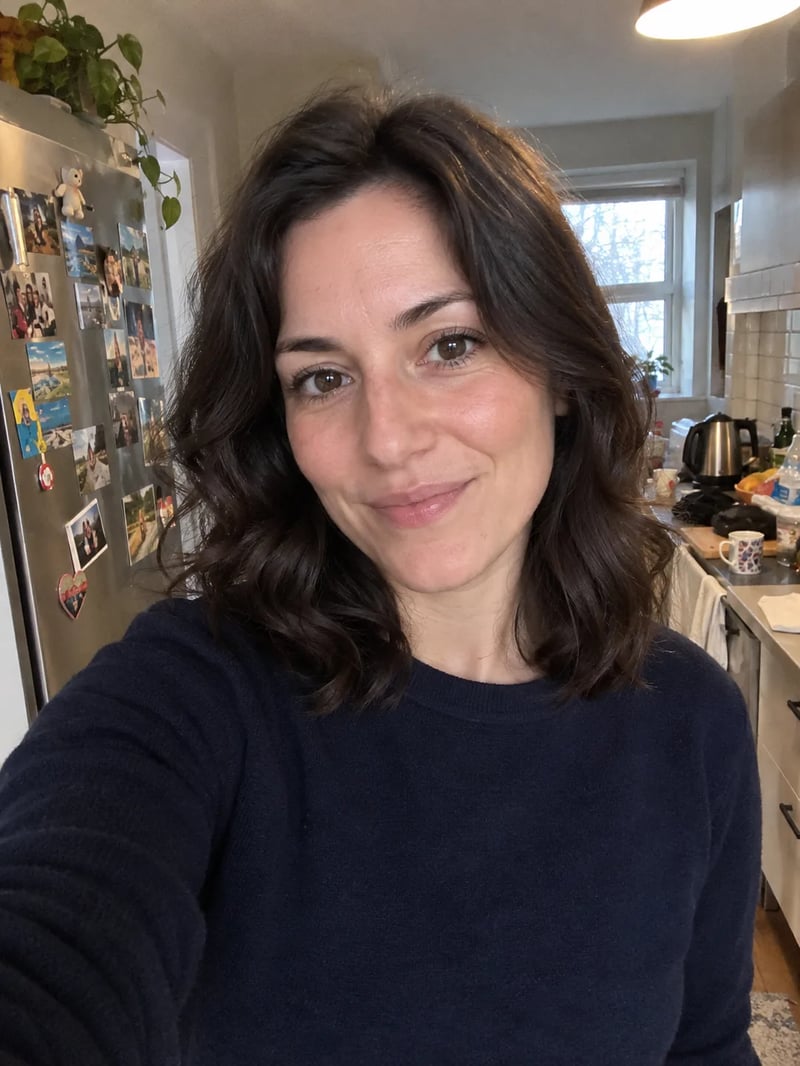
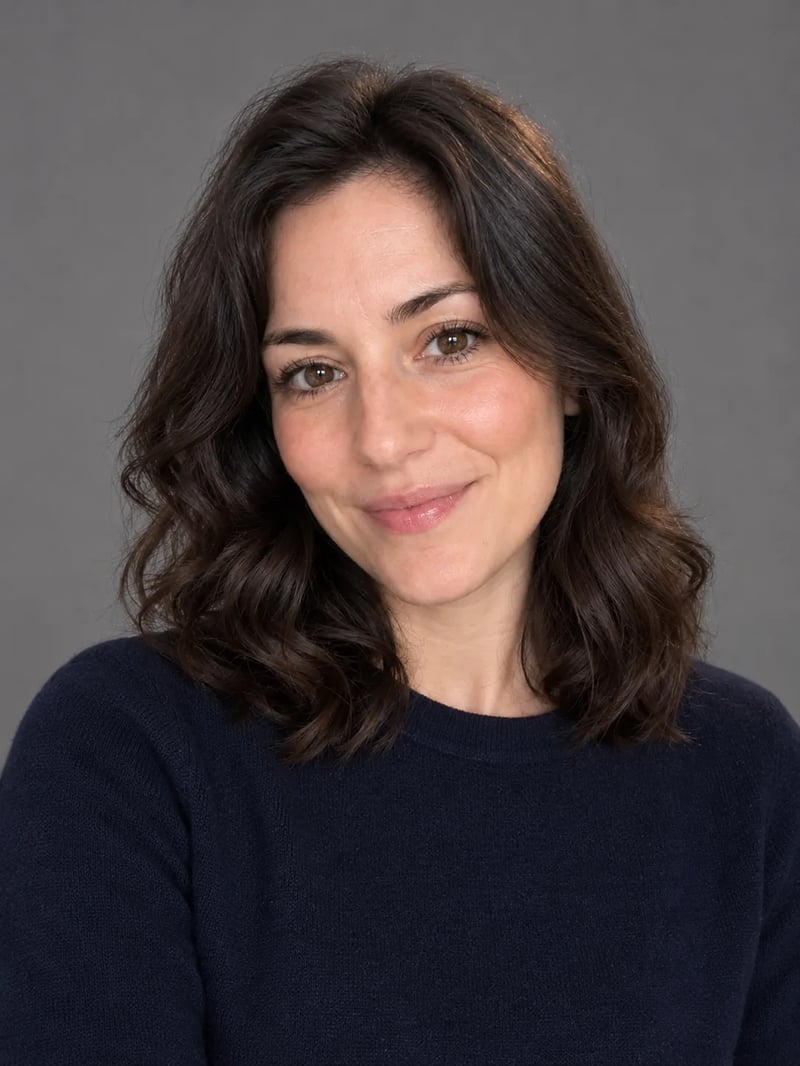
Prompt: "Turn this into a professional studio headshot. Keep her face, hair and navy sweater exactly the same. Replace the kitchen with a plain mid-gray studio backdrop, use soft even light from a large softbox in front, and frame her from the chest up, looking at the camera." The kitchen, the fridge magnets and the outstretched arm are gone; her face, hair and sweater are the same.

Original photo
Selfie of a woman with dark wavy hair and a navy sweater in a cluttered home kitchen, taken at arm's length
Studio shot
The same woman in the same navy sweater as a headshot on a plain gray studio backdrop with soft, even light
What it changes

What an AI photo studio does to your photo

A photographer's studio controls three things: the backdrop, the light and the framing. Here you set all three with words, and you also say what must not change.

  • Replaces the background

    The room behind you, the desk under the product and the clutter at the edges are swapped for the backdrop you name, from white seamless paper to a marble block. Name the color and the material, not just "studio".

  • Relights the subject

    Phone photos usually mix light: a yellow lamp on one side, a window on the other. Ask for soft, even light from the front for a clean headshot, or one light from the side for a moodier portrait, and the model redraws the shadows to match.

  • Reframes the shot

    Say how much to show: chest up for a headshot, or the whole shoe with space around it for a listing. In the headshot above, the outstretched arm of the selfie was cropped out.

  • Keeps what you name

    List what must stay: the face, the hair, the clothes, a logo or the stitching. Naming them tells the model what to leave alone, so check those parts first when the result comes back.

Use cases

What people make in an AI photo studio

Most studio shots are one of these jobs, and each one changes what you ask for.

  • AI headshots for LinkedIn, résumés and bios

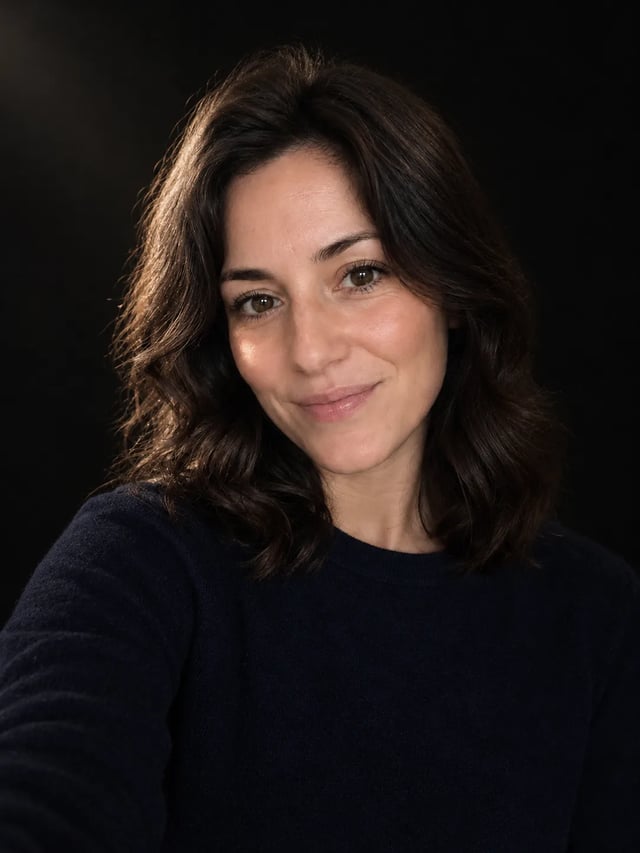
    A plain gray or soft blue backdrop, even light from the front and chest-up framing read as professional on a profile or a CV. Keep your own clothes, or describe a jacket for a more formal look. For a speaker bio or an author page, the moody one-light portrait below works too.
  • Matching sets for a team page or a product line

    Run every team member's photo, or every product, through the same prompt on the same model, so the backdrop, the light and the framing match from one picture to the next. Change only the words that describe the person or the item, never the studio part.

  • Product photos for an online store

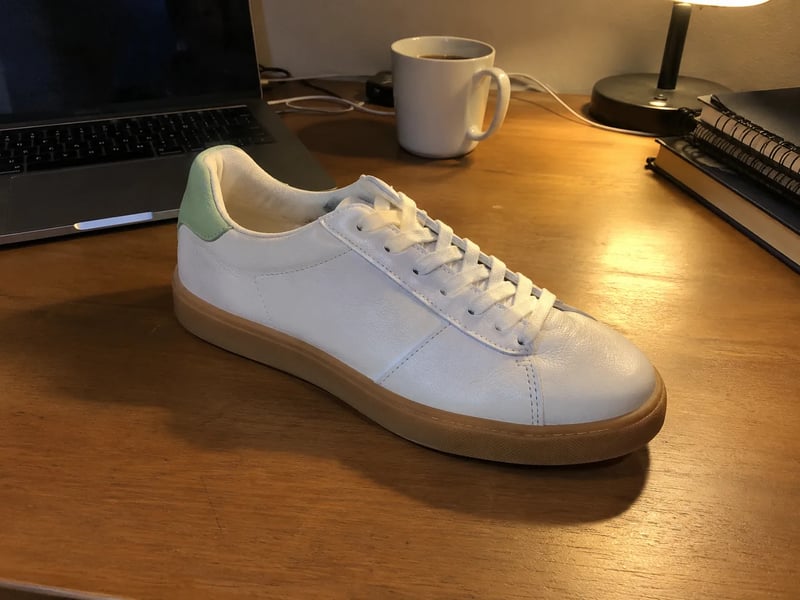
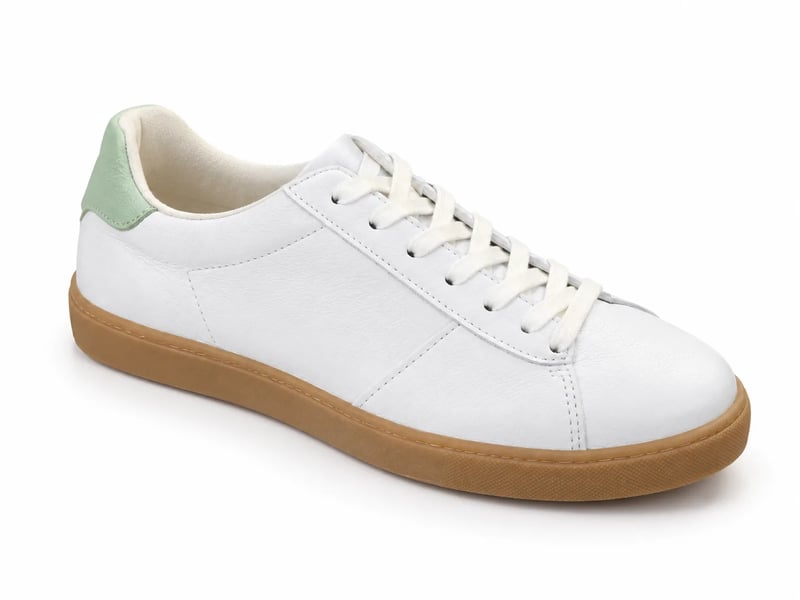
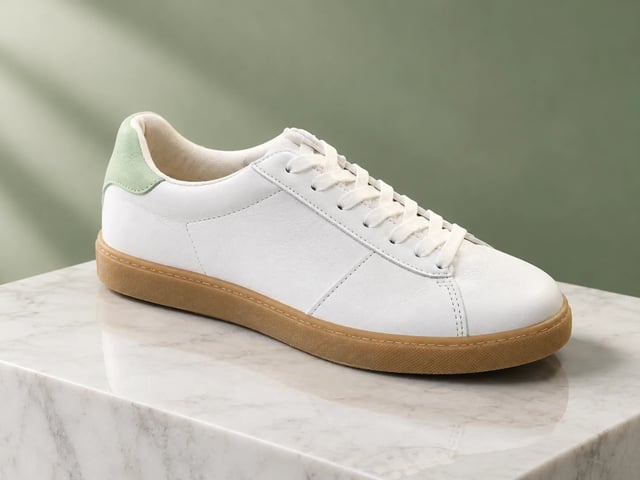
    Many marketplaces and store themes use a plain white background for the main product image. A white seamless backdrop with soft light, like the sneaker above, gets you there from a photo taken on a desk. Check the label, the color and the seams against the real product before you list it.

  • Product shots for ads and social posts

    For a campaign, a colored backdrop or a prop such as a marble block, a wooden plinth or draped fabric gives the product a mood without building a set. The sneaker on marble below took one sentence.

Studio setups

Two more studio setups you can copy

The same two uploads with different lighting and sets. Upload your own photo in the generator, then use the prompt and swap in what your photo shows.

  • The woman from the kitchen selfie on a near-black backdrop, lit by one soft light from the left of the frame, with a warm glow on her cheek and hair
    Photo edit · GPT Image 2.5 Flare · 1K

    Moody portrait: one soft light on a dark backdrop

    Prompt

    Turn this into a moody studio portrait. Keep her face, hair and navy sweater exactly the same. Use a near-black backdrop and one soft light high on her left, so a small triangle of light falls on her shadowed cheek. Frame her from the chest up.

    • Came out as: A softer glow from the left of the frame, not a sharp triangle. Ask again or name the side as seen in the photo.
  • The white sneaker standing on a white marble block in front of a sage green backdrop, lit from the left with a soft reflection
    Photo edit · GPT Image 2.5 Flare · 1K

    Product on marble with a colored backdrop

    Prompt

    Turn this into a premium product shot. Keep the sneaker exactly as it is: the white leather, the gum sole, the laces and the pale green heel tab. Stand it on a white marble block against a soft sage green backdrop, lit by a large softbox from the left, with a soft reflection on the marble.

AI photo studio backgrounds

Which studio background to ask for

The backdrop sets the tone before anything else in the shot. These are the ones worth naming in a prompt, and what each one suits.

  • White seamless

    The usual choice for product listings and catalogs, because nothing competes with the product. Ask for a "pure white seamless backdrop" and a soft shadow under the product so it does not look cut out.

  • Mid-gray

    The classic headshot backdrop. It stays neutral with most clothes and sits well on both light and dark websites.

  • Near-black

    For moody portraits and premium products. Pair it with one soft light from the side so the subject stands out from the dark.

  • Colored paper

    Sage green, soft blue or terracotta: one solid color ties a product or a person to a brand palette. Name the exact color rather than asking for something "colorful".

  • Marble, plinths and props

    A marble block, a wooden plinth or draped fabric adds depth to a product shot without turning it into a lifestyle scene.

  • A real place instead of a studio

    A kitchen counter, a beach or an office is a scene change rather than a studio shot. The AI image editor keeps the rest of the photo while it swaps the setting.

    Open the AI image editor
Pick a model

Which model to use for studio photos

Most image models in this AI photo studio can edit an upload. These three handle photo edits well. Credits are per photo at each model's lowest size.

GPT Image 2.5 FlareOpenAISee its testsSeedream 5 LiteByteDanceAbout Seedream 5 LiteNano Banana 2.1GoogleAbout Nano Banana 2.1
Good forHeadshots and product shots on a plain backdropProducts whose shape and finish must not changeCombining several photos into one scene
In our testsKept the face, sweater and sneaker details in all four edits hereChanged the uploaded mug the least of four modelsKept a person, a mug and a lighthouse recognizable in a three-photo scene
Photos you can upload at onceUp to 16Up to 14Up to 10
Credits per photo3 at 1K6 at 2K3 at 1K
How it works

How to make a studio photo with AI

The headshot and the product photo above were each made this way.

  1. 1

    Upload one clear photo

    A phone photo is fine for a studio headshot or a product photo. Pick one where the face or product is in focus and not cut off at the edges.

  2. 2

    Describe the studio, then what stays

    Name the backdrop, the light and the framing, for example "plain gray backdrop, soft light from the front, chest up". Then list what must not change: the face, the hair, the clothes, the logo or the stitching.

  3. 3

    Pick a model and check the details

    Generate, then compare the result with your upload: eyes and hairline on a person, label and seams on a product. If something drifted, run it again or try another model from the table.

FAQ

AI photo studio FAQ

Studio shot

Upload a photo and describe the backdrop

One clear photo and one sentence about the light are enough to start.