

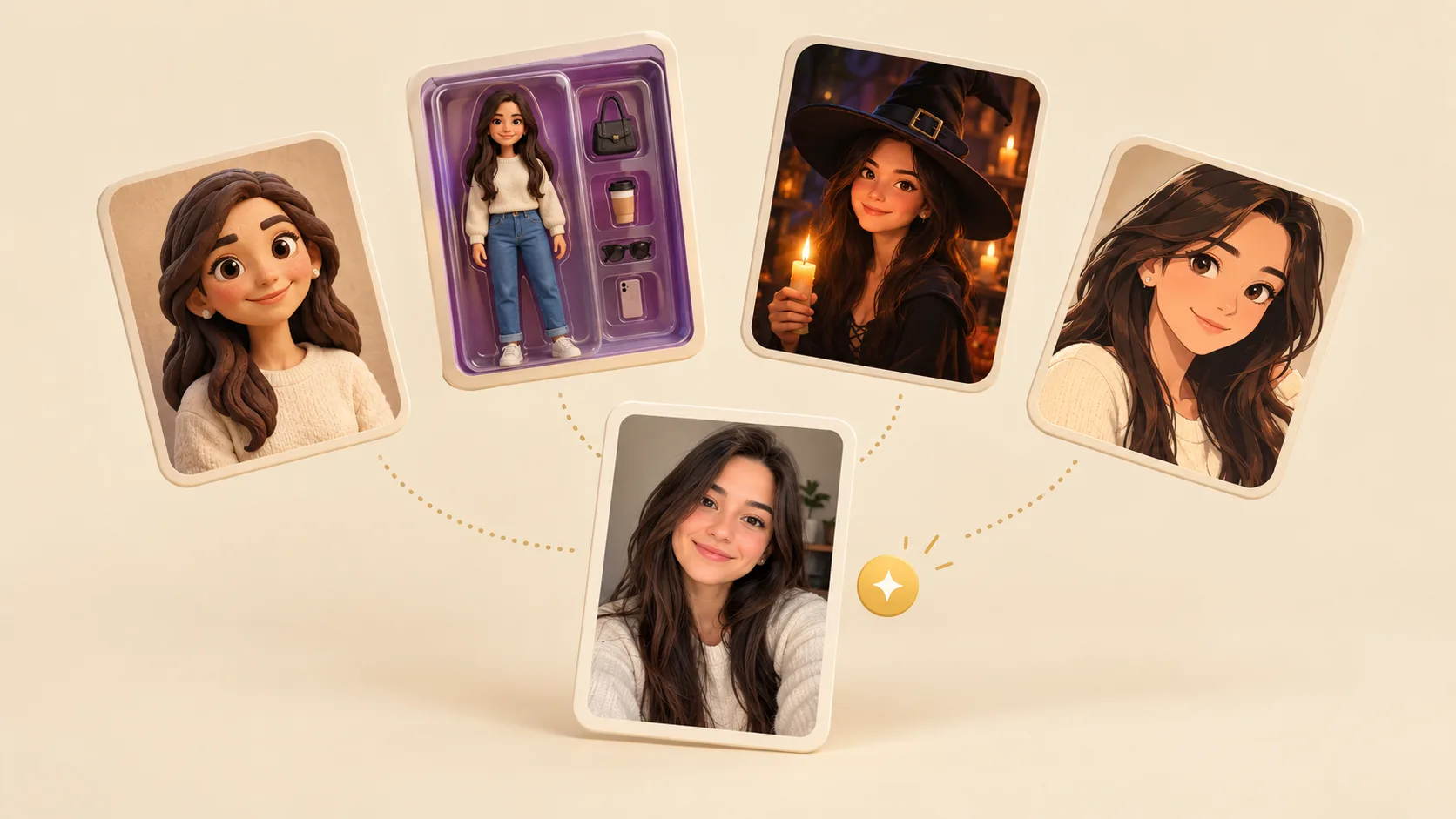
AI Effects is a new page in the studio. Each effect is a ready-made look: pick one, add a photo and press Generate. There is no prompt to write and no settings to choose.
What you can make
- Picture effects: a clay figure, a boxed action figure, an anime portrait, a watercolor or oil painting, a professional headshot, a 90s yearbook photo or a magazine cover.
- Holiday and pet effects: a Halloween witch or vampire, or your pet as a noble in a Renaissance portrait.
- Video effects: your photo smiles and waves, turns into a vampire, or gets a slow film-style camera move. A few effects put you into a short dance clip, and some have room for a friend.
Effects are split into Image and Video tabs and grouped by theme. Every effect shows an example before you start, and sample photos let you try one without your own.
After it is done
The result is saved to Assets, so you can leave the page while it works. From a finished picture you can turn it into a short video, remove the background, upscale or extend it, or describe another change in chat. To see a different look, keep the same photo and pick another effect.